
Chat goes wild. You get the clip.
Paste a Twitch, Kick or YouTube stream, finished or live. LeonidaCrews Clipper finds every moment chat blew up and cuts it with 30 seconds of build-up and 15 of reaction, ready to frame, style and post.
For Windows, macOS and Linux. Free, no account.
Direct downloads: Windows · Mac (Apple silicon) · Mac (Intel) · Linux AppImage
How it works
Three steps, no scrubbing
- 1
Paste a link
A finished Twitch, Kick or YouTube stream, a channel that's live right now, or a stream you already downloaded.
- 2
Chat finds the moments
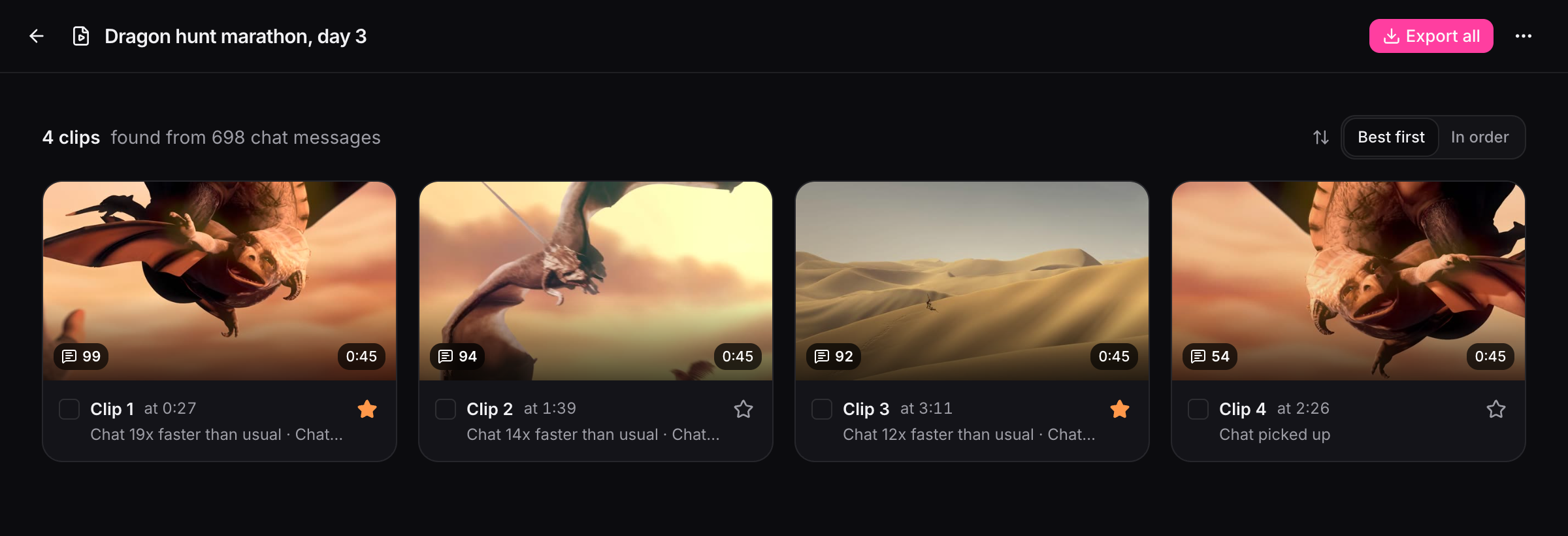
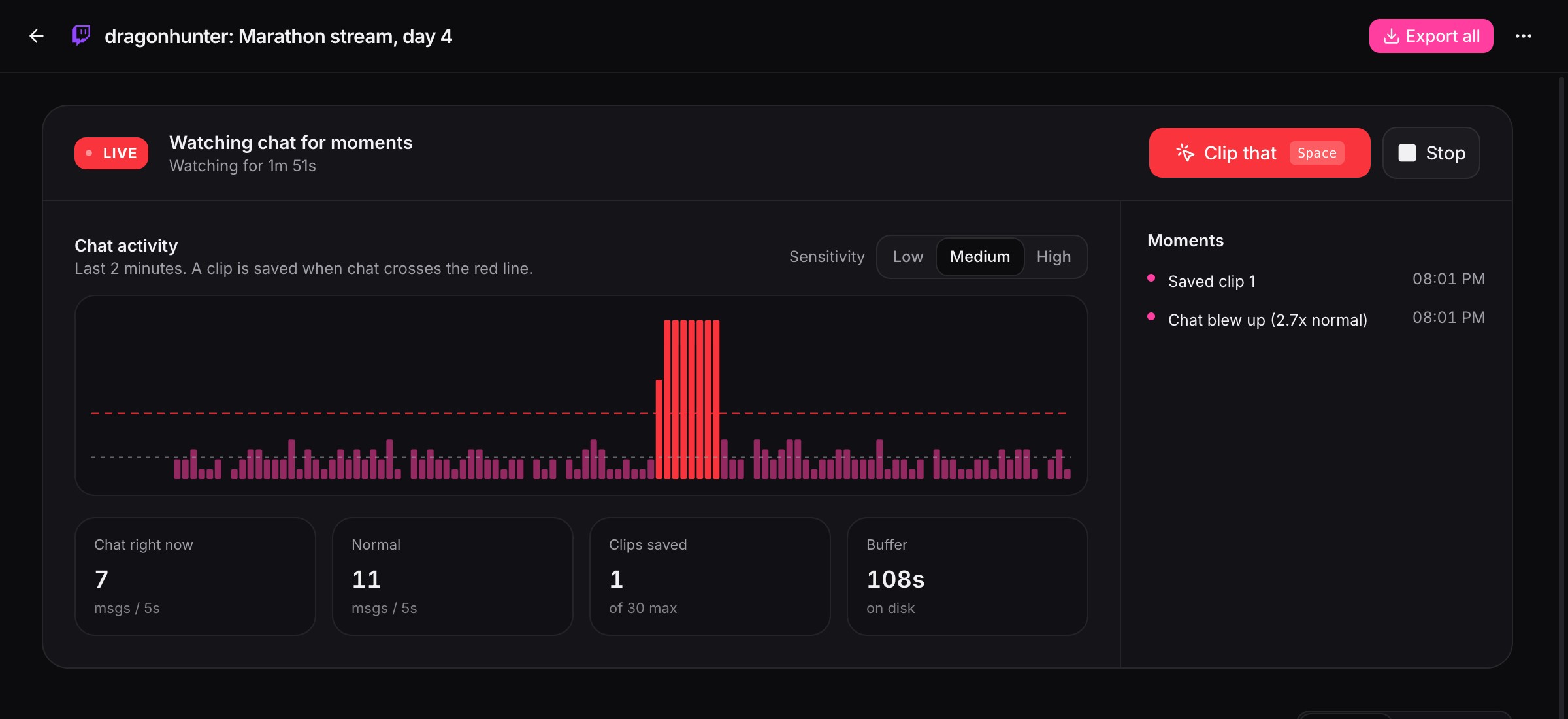
When something big happens, chat explodes. Each surge becomes a clip: 30 seconds of build-up and 15 of reaction.
- 3
Edit, export, post
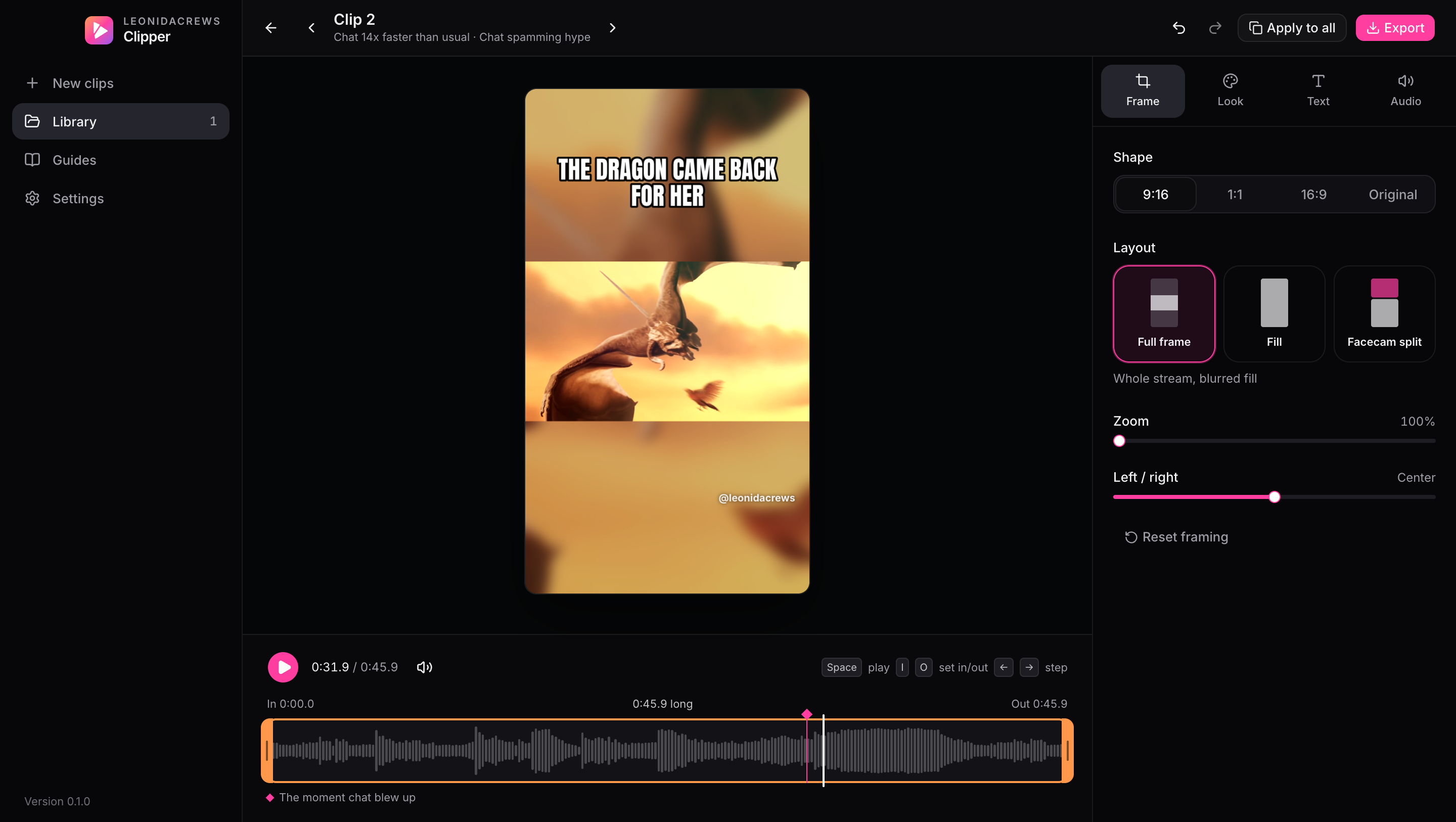
Frame it for vertical, add a title and your handle, pick a look, export MP4, and post anywhere.
Two ways to clip
After the stream or during it
Features
Everything a clipper needs
Looks
Made for Leonida
One-click color grades inspired by GTA VI: neon nights, beach sunsets, swamp haze. Style one clip, then apply it to the whole stream so your clips have a signature look.
Neon Night
Sunset Strip
Keys Blue
Swamp Haze
Heatwave
Night Drive
Mono
Post it
Export and post on a schedule
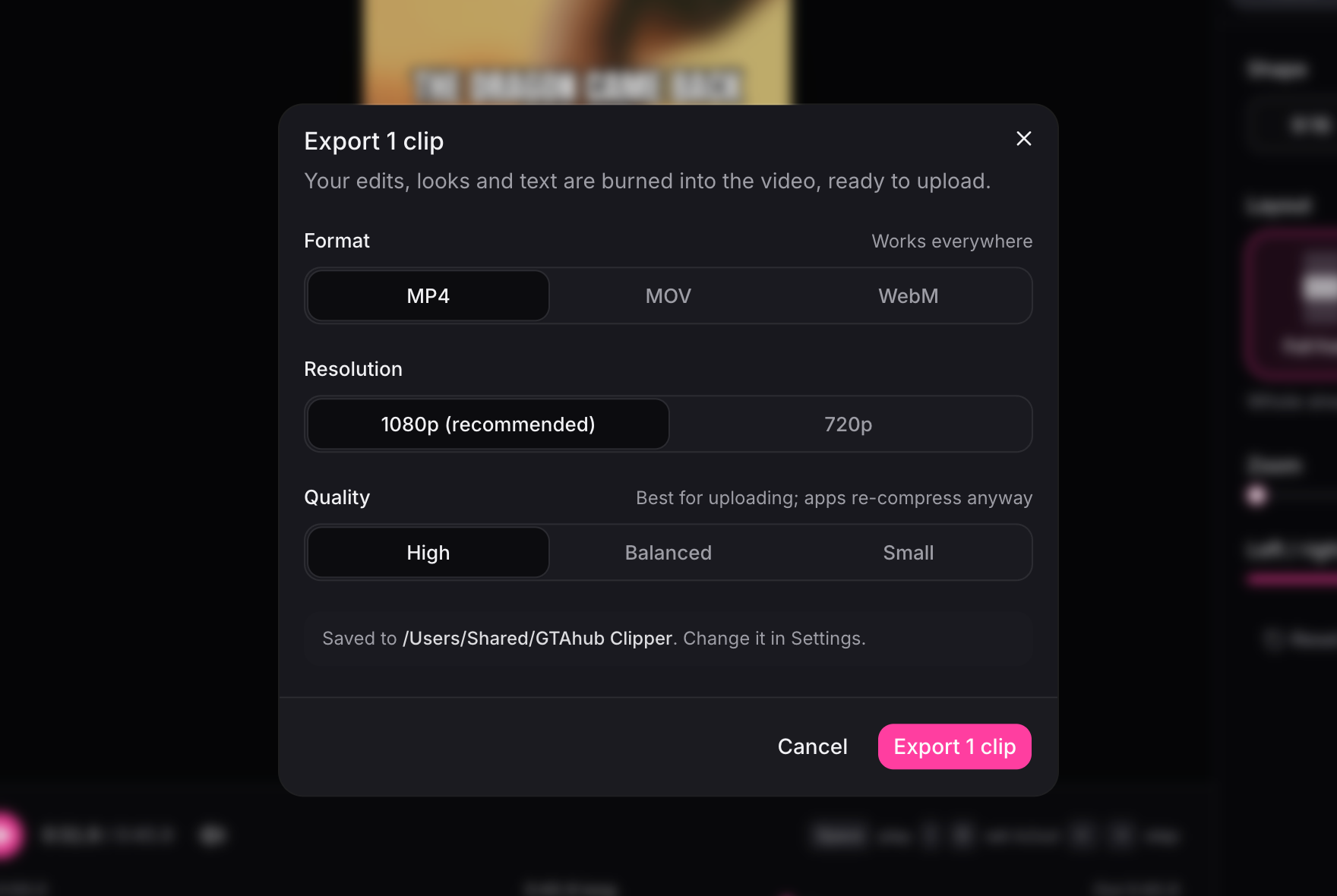
Export MP4, MOV or WebM at 1080p, then post wherever your audience is. The app comes with step-by-step guides for every platform, including planning a week of Reels in Meta Business Suite.
- TikTok
- YouTube
- X
Schedule Reels with Meta Business Suite
Plan a week of clips for Facebook and Instagram in one sitting, from your computer.
Post and schedule on TikTok
Upload from your computer in TikTok Studio and plan posts ahead.
Schedule YouTube Shorts
Upload vertical clips as Shorts and release them on a schedule.
Post Reels on Instagram
Get the clip onto your phone and post it as a Reel.
Post on X
Share clips on X, and schedule them from the website.
Download
Get it free
macOS
macOS 12 or later. Apple silicon for M1 and newer, Intel for older Macs.
Linux
64-bit. AppImage runs on most distributions; the .deb is for Ubuntu and Debian.
Version 0.1.0. No sign-up, no email. Checksums and every past version are on GitHub, and the full download page is at clipper.leonidacrews.com.
No surprises
What it does on your computer
It reads the link you paste, downloads the chat and the seconds each clip needs, and checks for updates. Two open source helpers (yt-dlp and TwitchDownloader) are fetched from their official releases on first use and checked before running.
- No account, name or email
- Your clips are never uploaded anywhere
- No analytics or tracking
FAQ
Good questions
Your next stream, clipped
Download it free, paste a link, and let chat show you where the moments are.
Screenshot footage: Sintel © Blender Foundation, CC BY 3.0.